How Website Design Affects SEO Ranking (And What to Fix First)
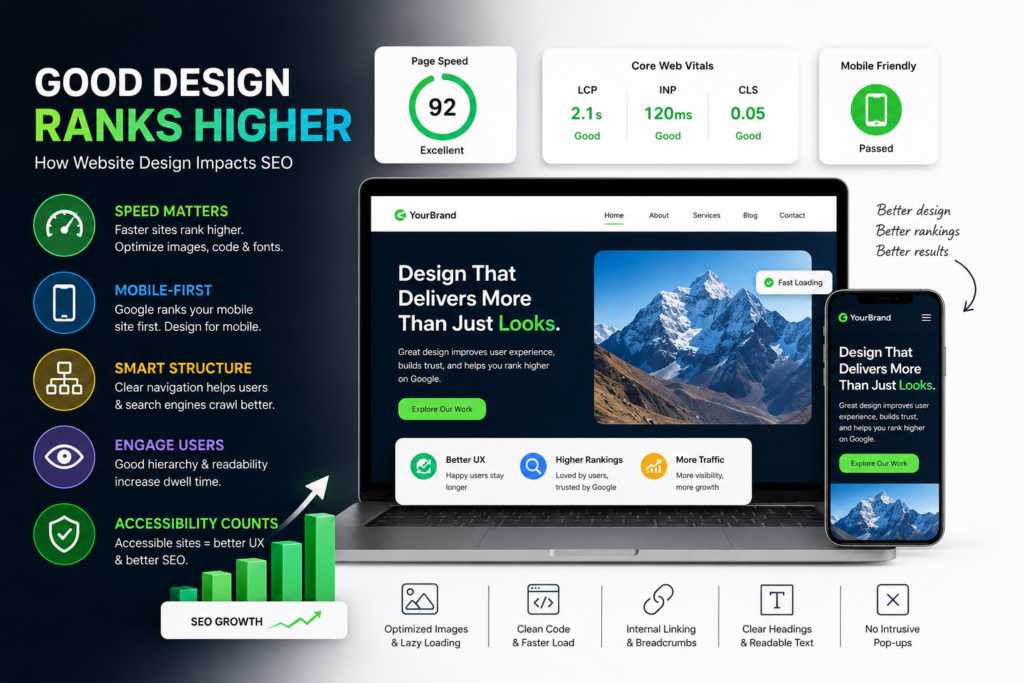
Most people think SEO is all about keywords and backlinks. But Google has gotten smarter — it now looks at how real users experience your website, and that experience is shaped almost entirely by design.
If your site is slow, hard to navigate, or breaks on mobile, no amount of keyword stuffing will save your rankings. Here’s exactly how design impacts SEO, and what to fix first.
1. Page Speed Is a Ranking Factor
Google has confirmed page speed directly affects rankings, especially on mobile. But speed isn’t just a backend issue — design choices cause most slowdowns:
- Oversized, uncompressed images
- Heavy animations or autoplay videos
- Too many custom fonts
- Bloated page builders with excessive code
Fix: Compress images (WebP format), limit font weights to 2–3, lazy-load below-the-fold content, and avoid unnecessary animation libraries.
2. Core Web Vitals: Google’s Design Report Card
Core Web Vitals are Google’s way of measuring real user experience. They’re 100% influenced by design decisions:
| Metric | What It Measures | Common Design Culprit |
|---|---|---|
| LCP (Largest Contentful Paint) | How fast main content loads | Large hero images/videos |
| INP (Interaction to Next Paint) | How responsive the page feels | Heavy JavaScript, pop-ups |
| CLS (Cumulative Layout Shift) | Visual stability while loading | Images/ads without set dimensions, late-loading fonts |
A beautifully designed site that scores poorly on these metrics will still struggle to rank against a plainer, faster competitor.
3. Mobile-First Design Isn’t Optional
Google uses mobile-first indexing — meaning it primarily crawls and ranks the mobile version of your site. If your mobile design has:
- Text too small to read without zooming
- Buttons too close together (tap target errors)
- Content that requires horizontal scrolling
…it directly hurts your ranking, even if your desktop version looks perfect.
Fix: Design mobile layouts first, not as an afterthought. Test on real devices, not just browser dev tools.
4. Site Structure Affects Crawlability
Good UX architecture and good SEO architecture are the same thing. A clear hierarchy (Home → Category → Subpage) helps both users and Google’s crawlers understand your site.
Design habits that hurt this:
- Deep navigation (content buried 5+ clicks from homepage)
- No clear internal linking between related pages
- Inconsistent or missing breadcrumbs
Fix: Keep important pages within 2–3 clicks of the homepage. Use breadcrumbs. Link related content naturally within page copy.
5. Visual Hierarchy Impacts Dwell Time
Google tracks engagement signals like time-on-page and bounce rate as indirect indicators of content quality. If your design doesn’t guide the eye — poor heading structure, dense text blocks, low contrast — people leave fast.
Fix:
- Use a real heading hierarchy (one H1, logical H2s/H3s) — this also helps SEO crawlers understand topic structure
- Break up text with whitespace, subheadings, and visuals
- Make sure body text has strong contrast (not light gray on white)
6. Pop-ups and Interstitials Can Get You Penalized
Google explicitly penalizes “intrusive interstitials” — full-screen pop-ups that block content immediately on mobile. That includes:
- Email signup pop-ups that load instantly
- Cookie banners that cover the entire screen
- App-download interstitials
Fix: Delay pop-ups by a few seconds or trigger them on exit-intent/scroll instead of immediately on load.
7. Accessibility = SEO Overlap
Accessible design (alt text, semantic HTML, proper contrast, keyboard navigation) overlaps directly with technical SEO best practices. Screen readers and search crawlers “read” your site in similar ways.
Fix: Add descriptive alt text to every image, use semantic tags (<nav>, <header>, <main>), and ensure color contrast meets WCAG AA standards.
Quick Design-for-SEO Checklist
- [ ] Images compressed and lazy-loaded
- [ ] Core Web Vitals tested (use PageSpeed Insights)
- [ ] Mobile layout designed first, tested on real devices
- [ ] Clear navigation, max 2–3 clicks to any page
- [ ] One H1 per page, logical heading structure
- [ ] No intrusive pop-ups on load
- [ ] Alt text on all images
- [ ] Sufficient color contrast throughout
The Bottom Line
SEO and UX/UI design aren’t separate disciplines anymore — Google’s ranking signals are largely built from design quality. As a designer, every layout decision you make either helps or hurts search visibility. As a marketer, understanding this means you can advocate for design changes using ranking data, not just aesthetics.
If you want your site to rank, start by auditing the design choices above before touching a single keyword.